If you have a ZIP file which is used to compress files together. You may want to extract the files to access them easier with more functionality. 1) Download your ZIP file to your computer. As you may need to download it from OneDrive or Sharepoint. (If it is not downloaded already)
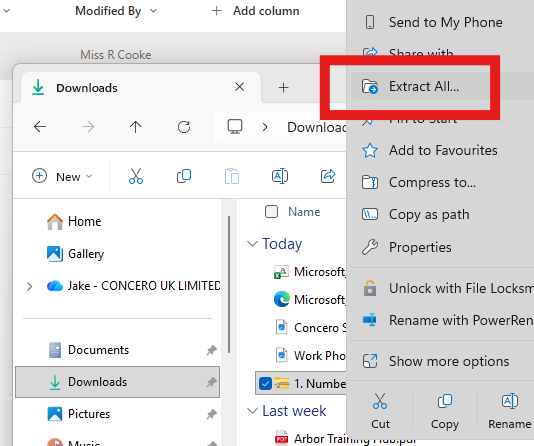
2) Right click the file and select Extract All...
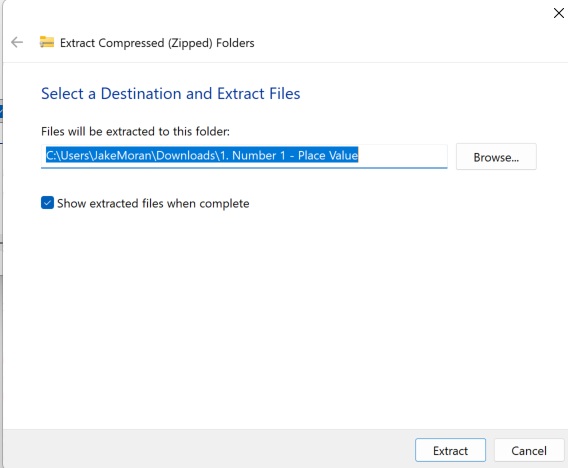
3) Select where to save your file your extracted files and select "Extract".
Any further support required? Visit help.concero.education to submit a ticket!
Was this article helpful?
That’s Great!
Thank you for your feedback
Sorry! We couldn't be helpful
Thank you for your feedback
Feedback sent
We appreciate your effort and will try to fix the article