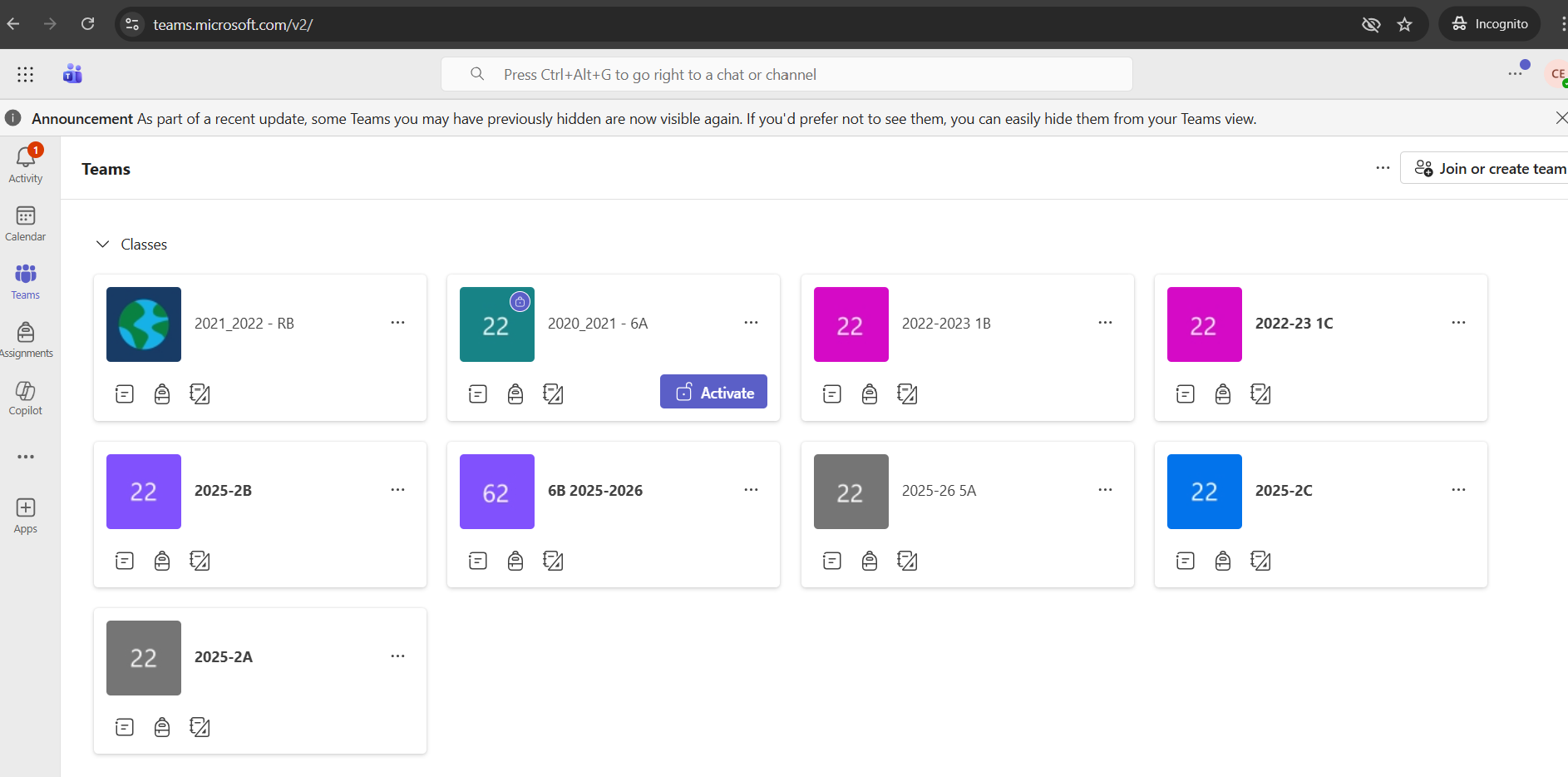
This article will help with muting students so they cannot comment, chat or reply in Microsoft Teams - Class Teams.1) Go into Teams and select the class team you would like to mute students in.
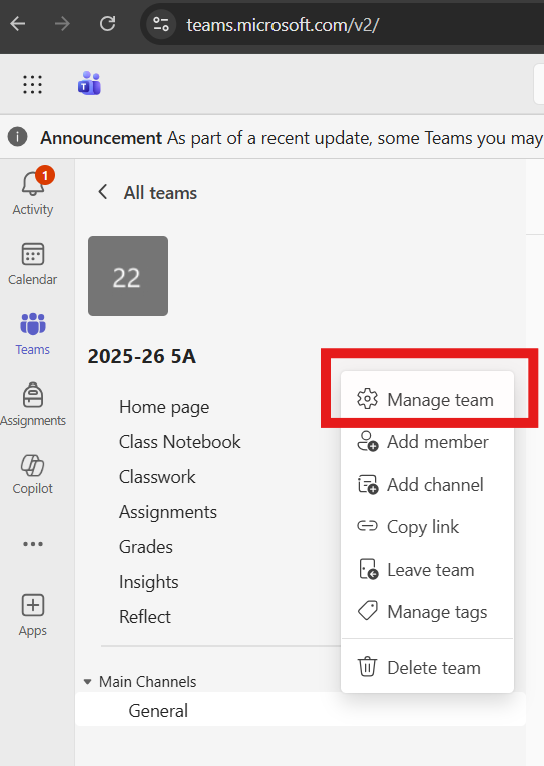
2) Select the three dots next to your Teams name and select "Manage Team" from the menu which opens.
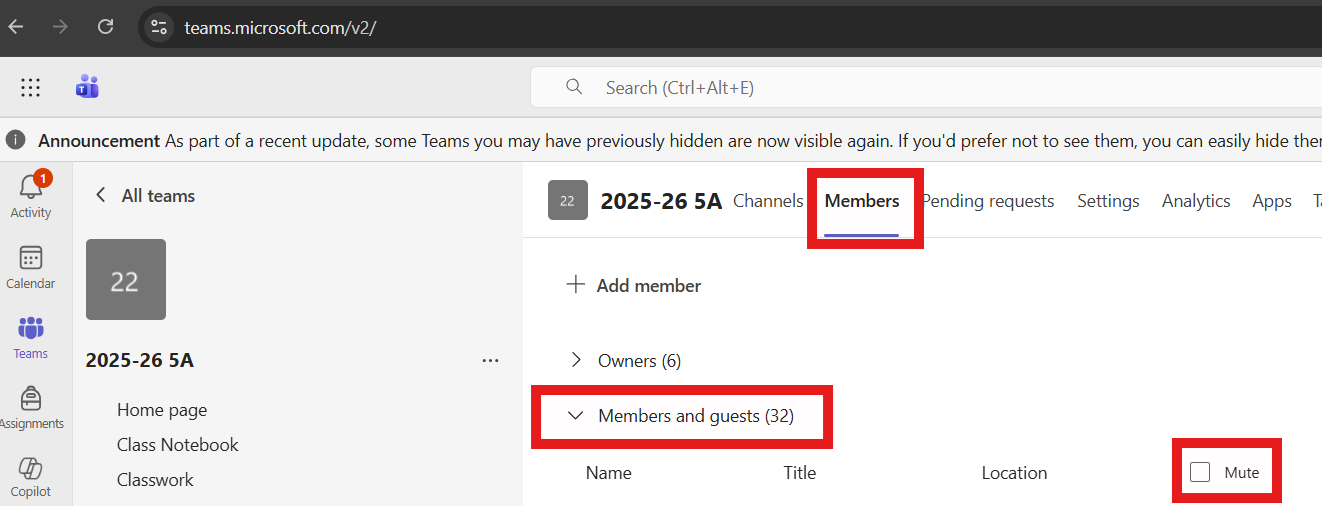
3) Select the "Members" tab and then expand "Members and guests". Once expanded, select the mute checkbox at the top.
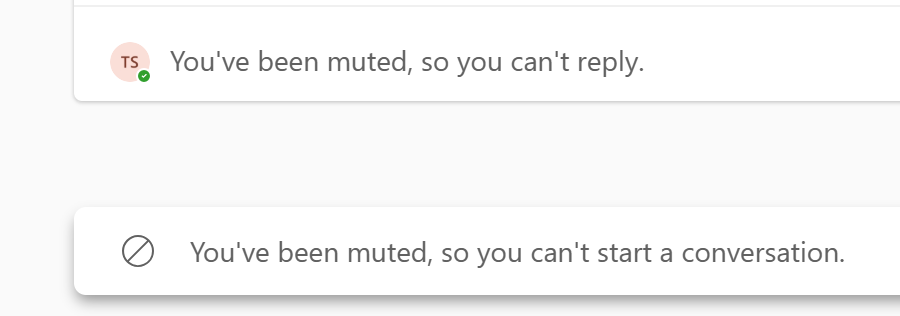
Below is what the student will see when the change has been made.
Was this article helpful?
That’s Great!
Thank you for your feedback
Sorry! We couldn't be helpful
Thank you for your feedback
Feedback sent
We appreciate your effort and will try to fix the article