1.) If you open the start menu and search for the app.
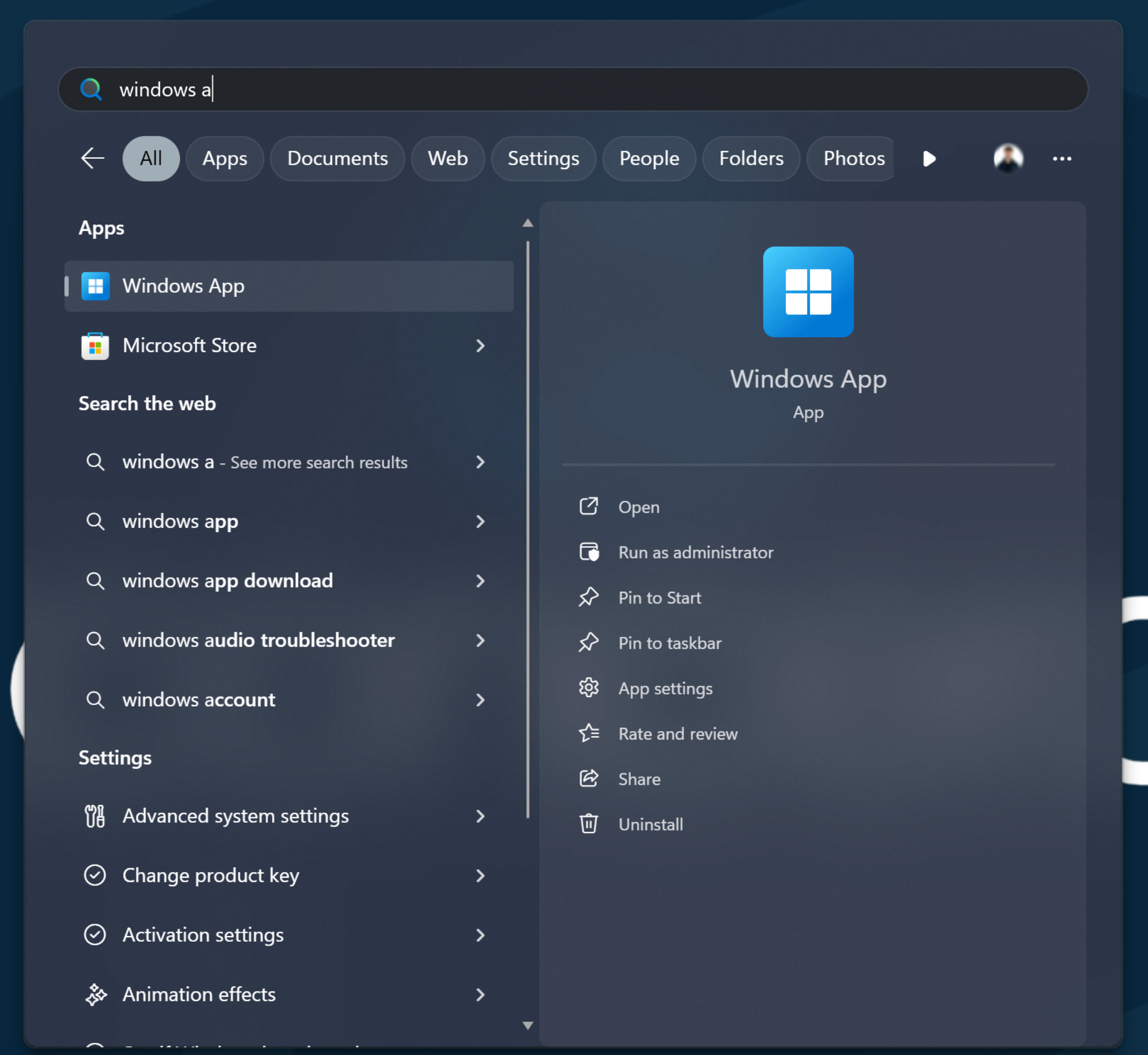
2.) Then if you click "Pin to taskbar"
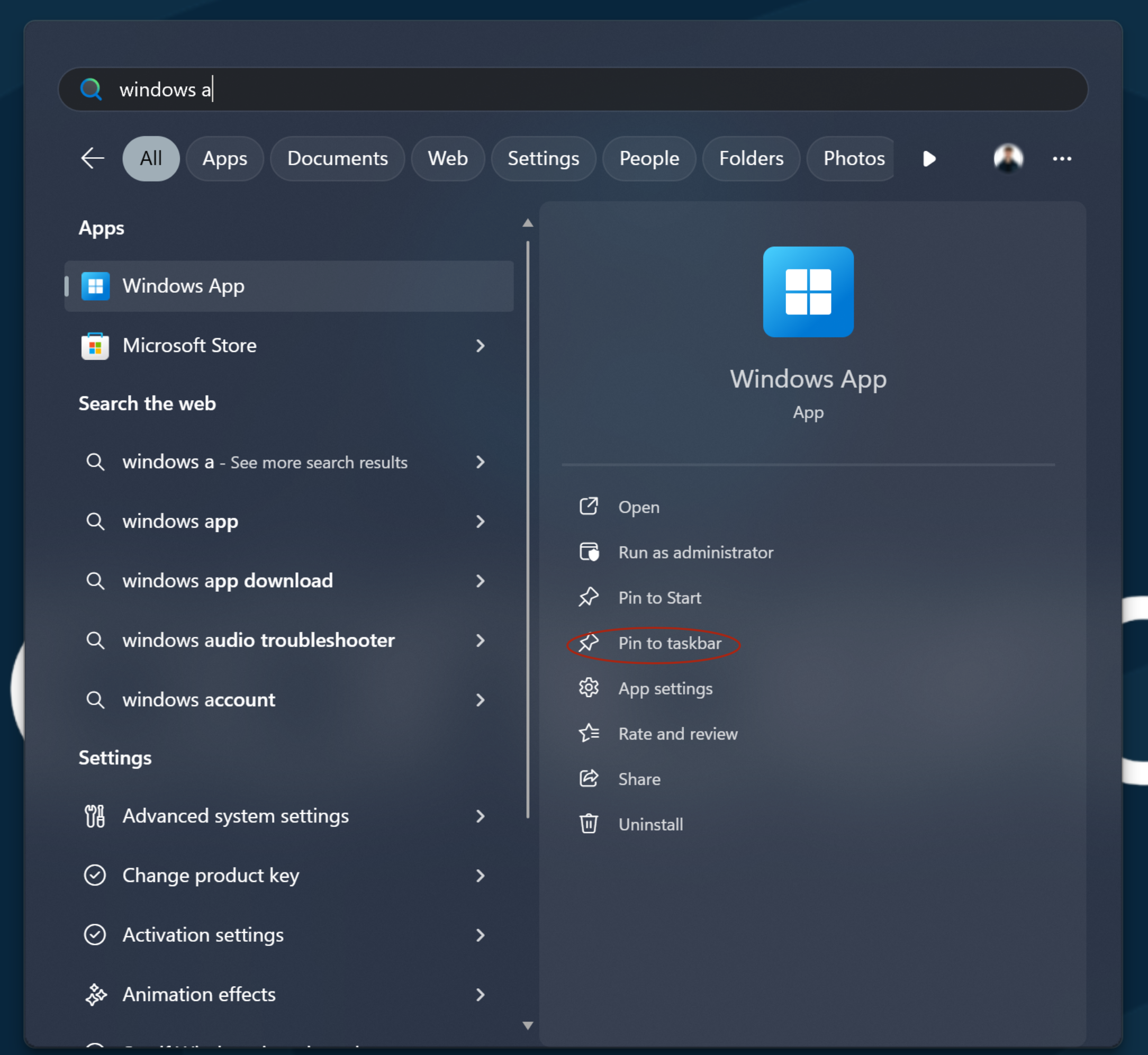
3.) Now this should pin to the bottom of your screen and you should be able to double-click on the icon to open the app.
Was this article helpful?
That’s Great!
Thank you for your feedback
Sorry! We couldn't be helpful
Thank you for your feedback
Feedback sent
We appreciate your effort and will try to fix the article