School Admin Access:
Log into MyLogin https://app.mylogin.com - Once logged in you will automatically start on the Users > Overview screen.
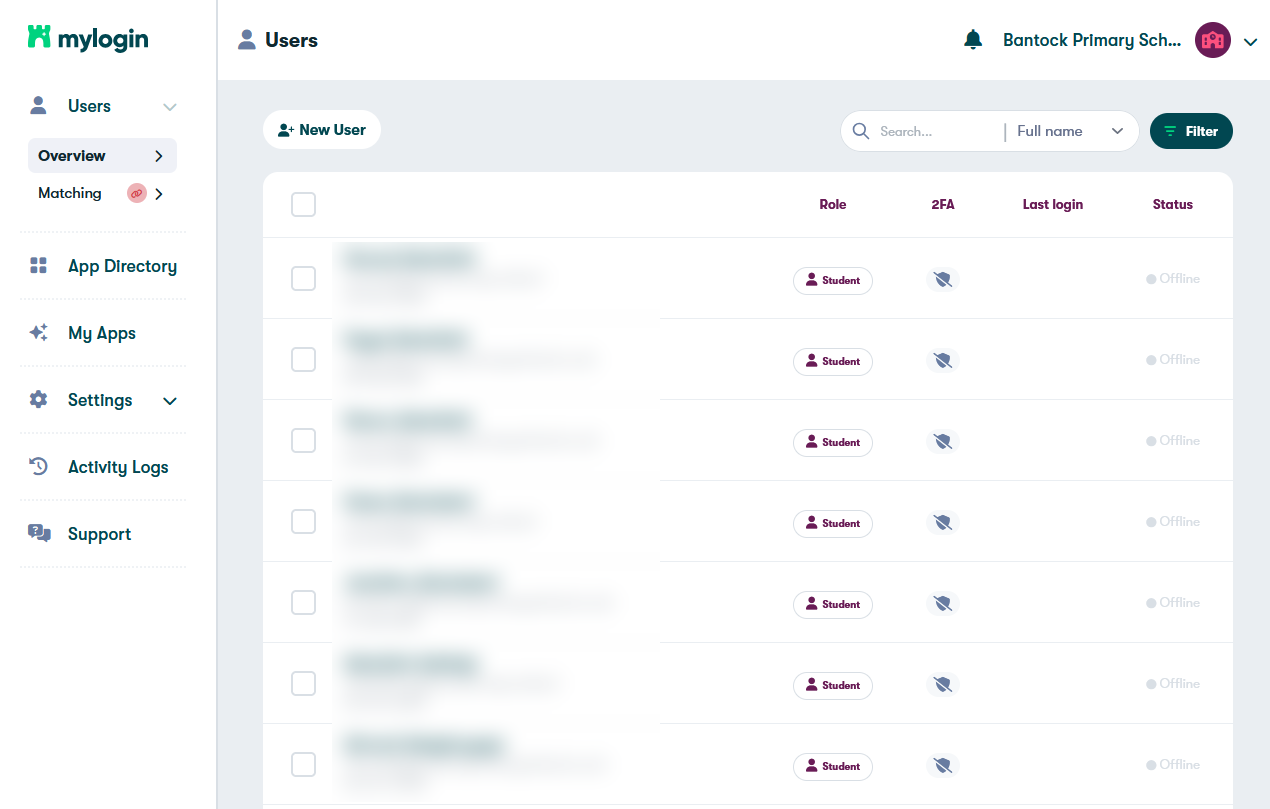
Select Filter in the top right of the screen.

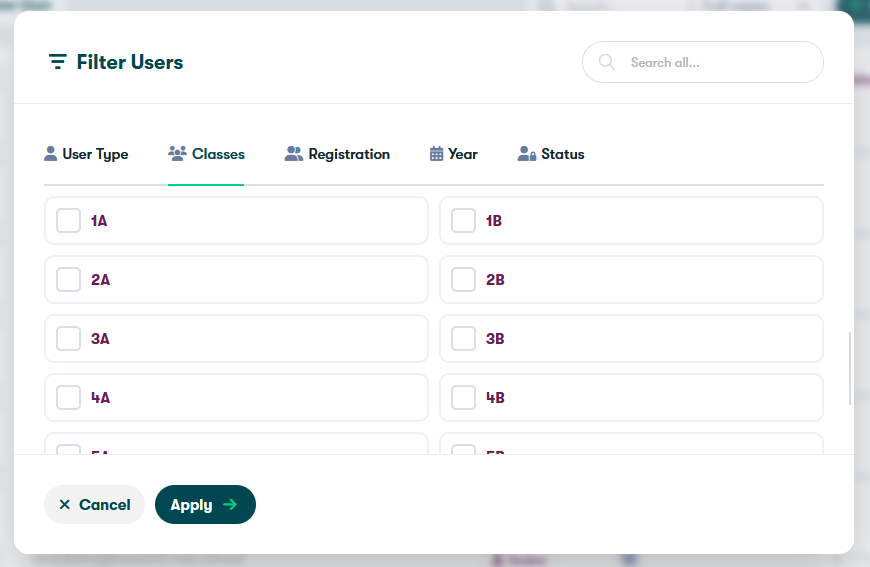
Choose how to filter school pupils. This can be done by class, registration or year group.
Select the group you wish to export.
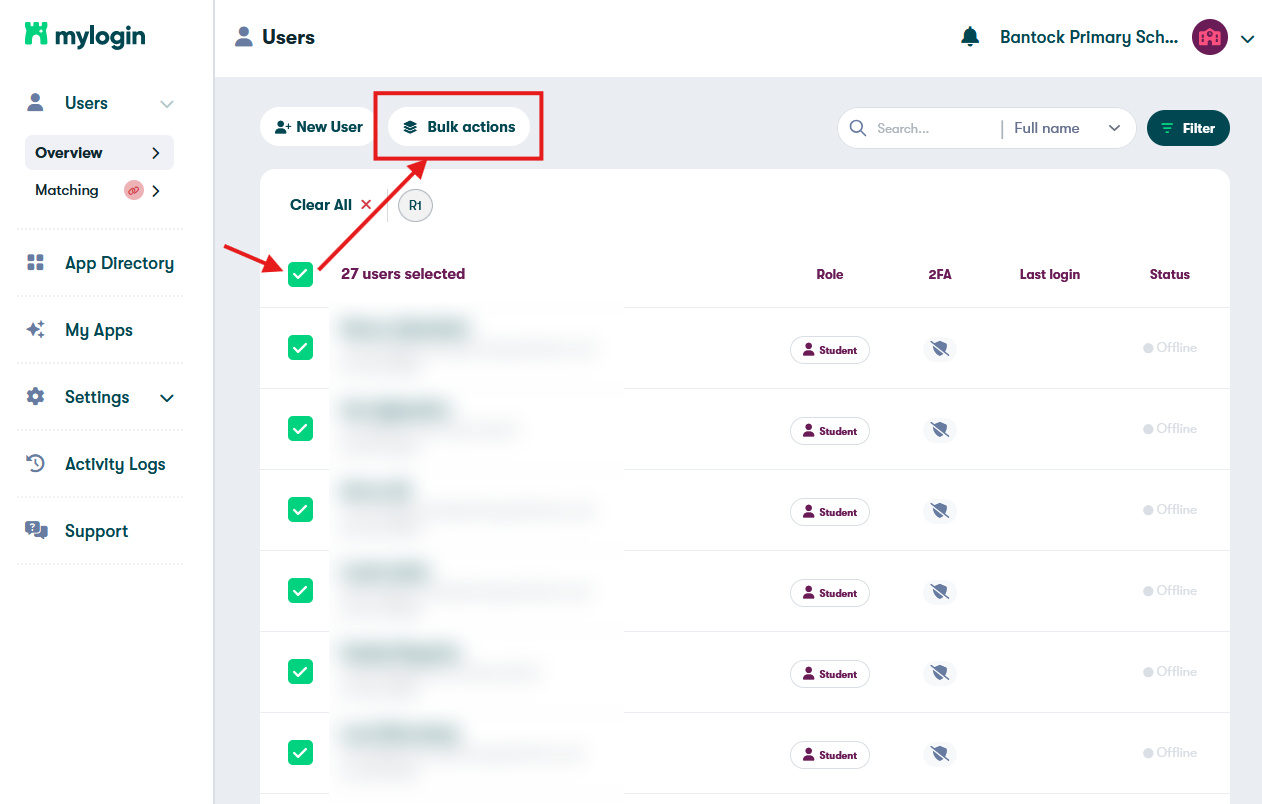
Once your group has been filtered, check the top box above the first pupil to select all.
Select 'Bulk actions'.
Select Emoji Password and then Download.
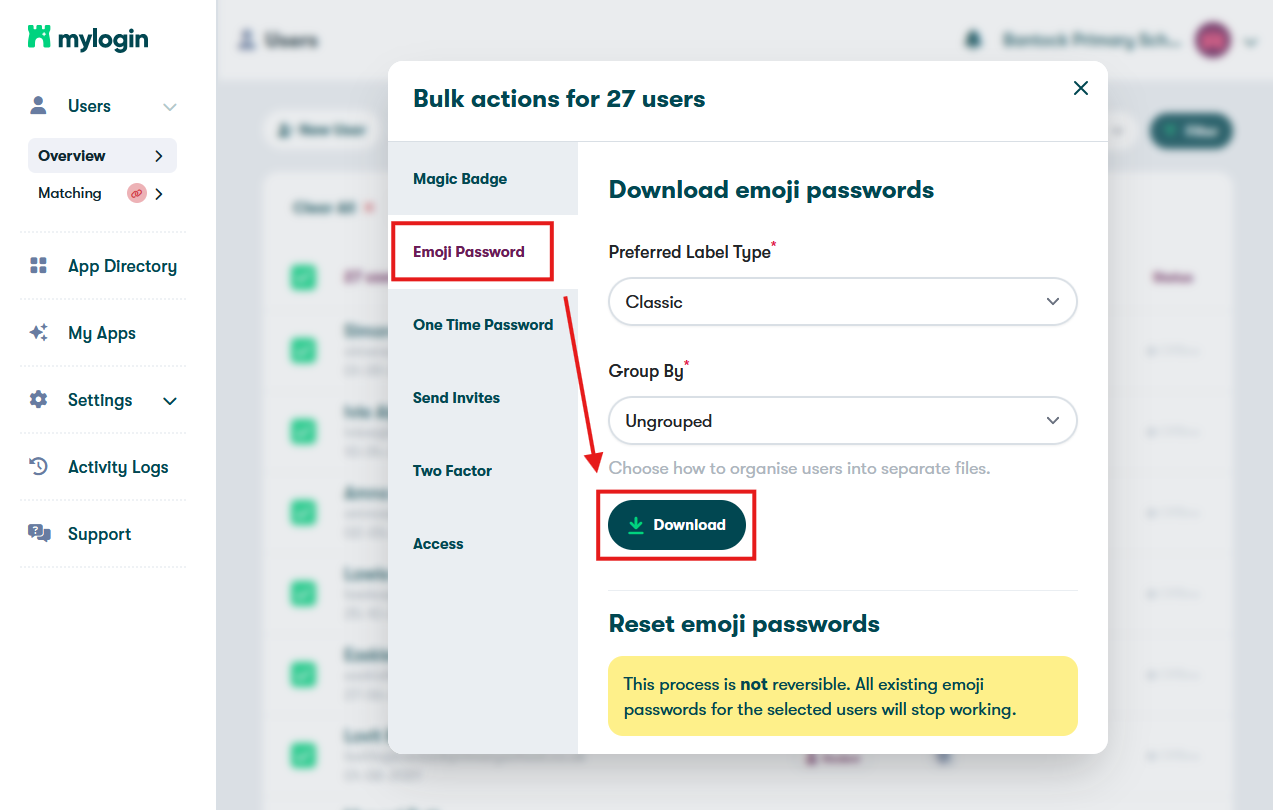
This will provide a PDF of pupil emoji passwords you can print off.
Teachers - Using MyLogin with pupils
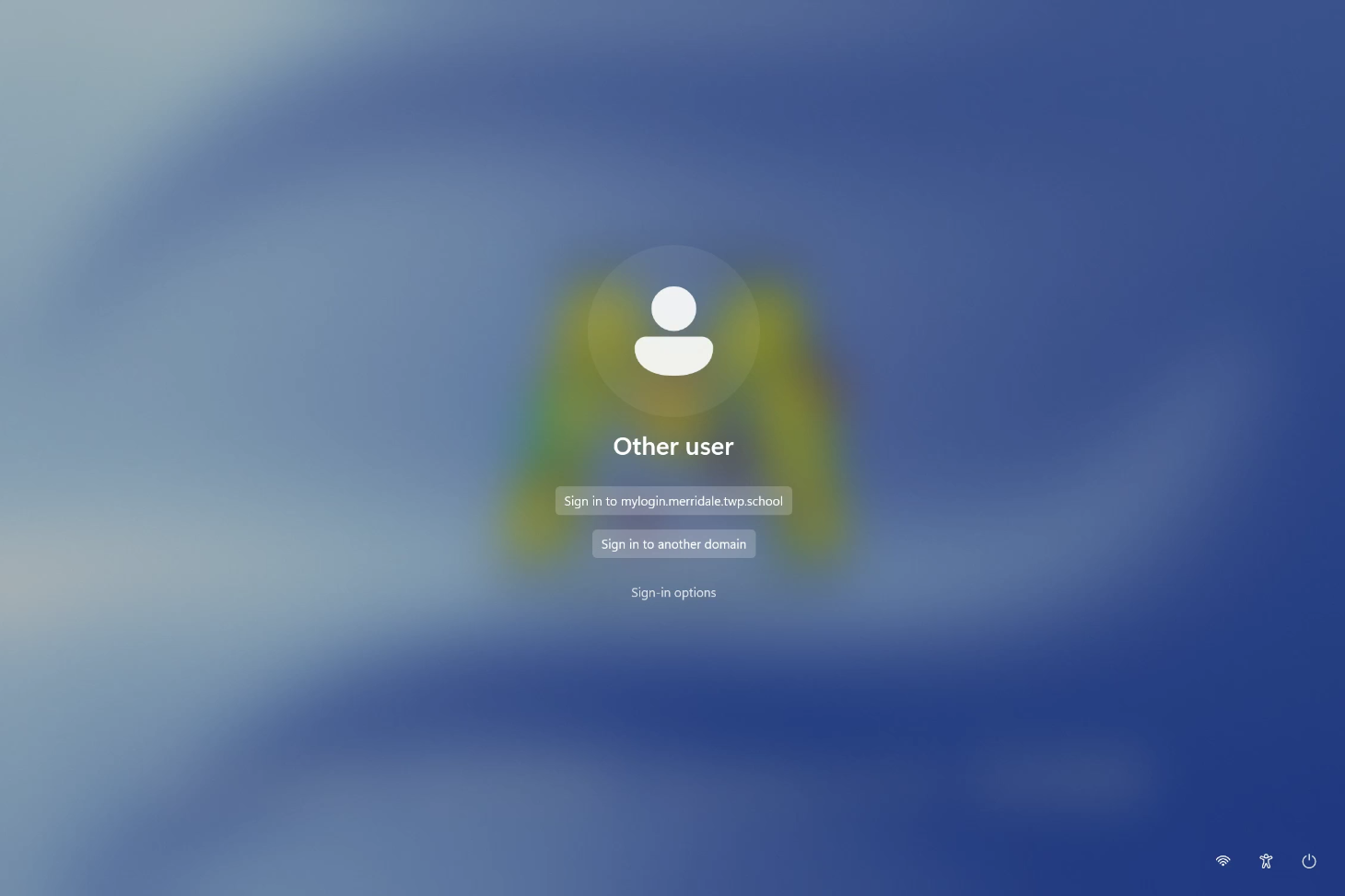
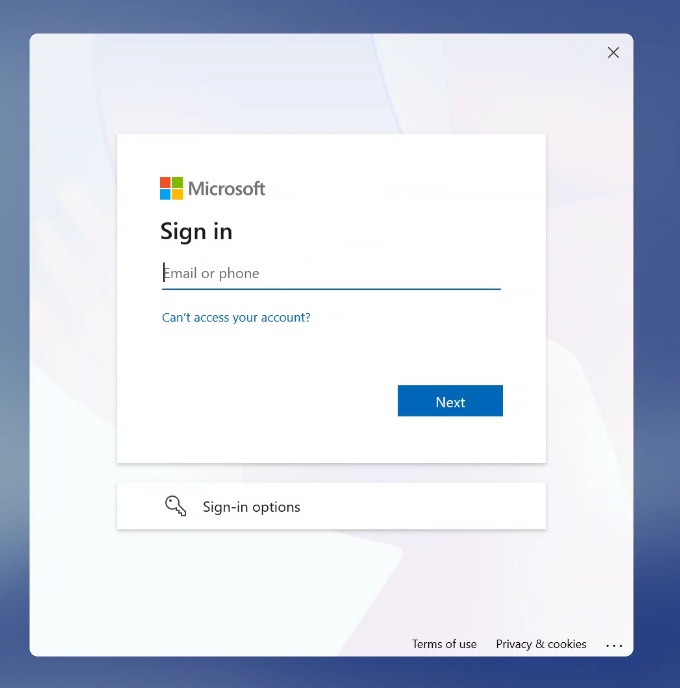
When a device finishes loading, the login screen will look like below. Get your pupils to follow these instructions...
Click the top button 'Sign in to yourschool.domain.com'.
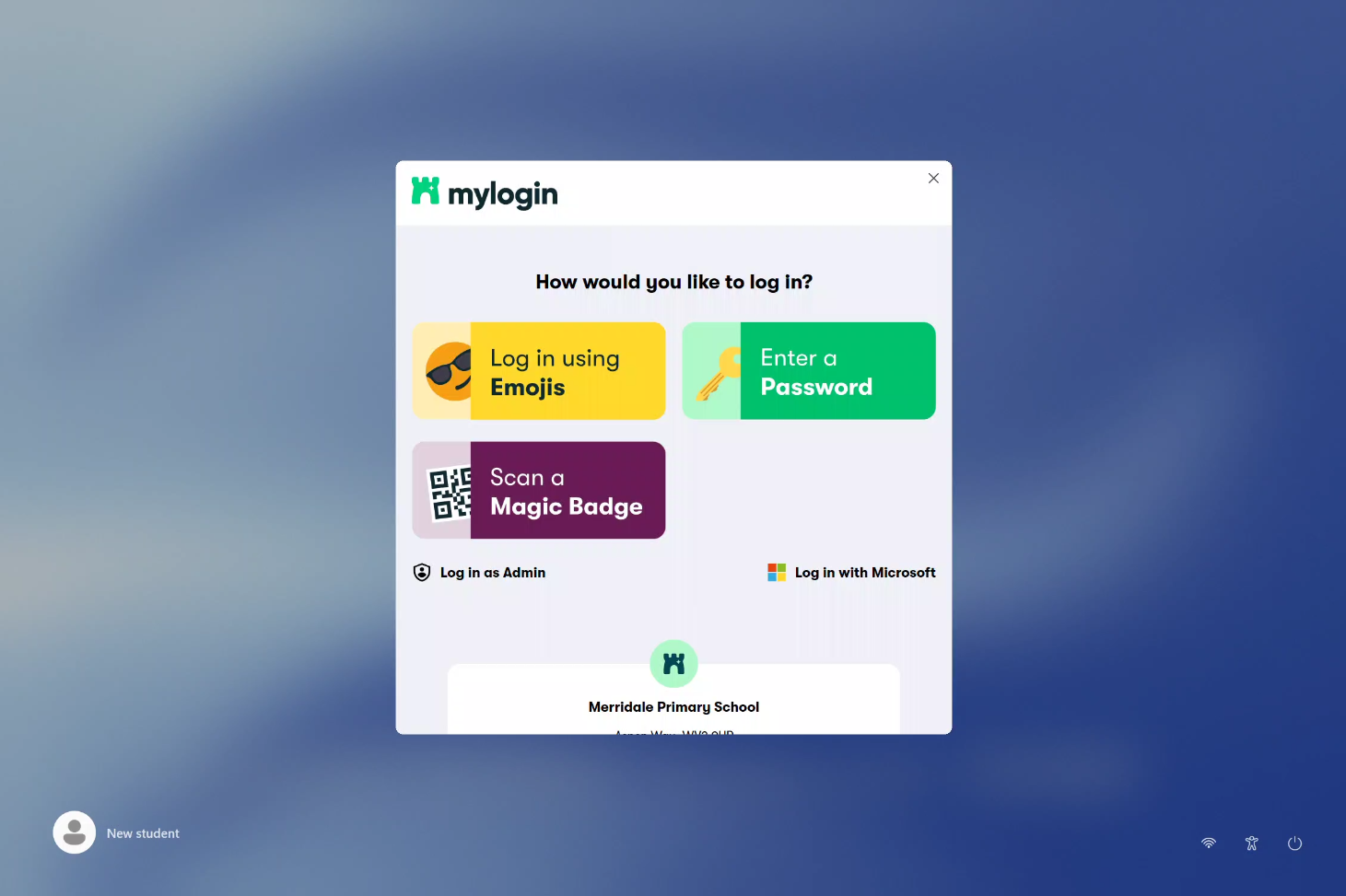
Choose the sign in method provided to pupils. In this example we will use the Emoji login.
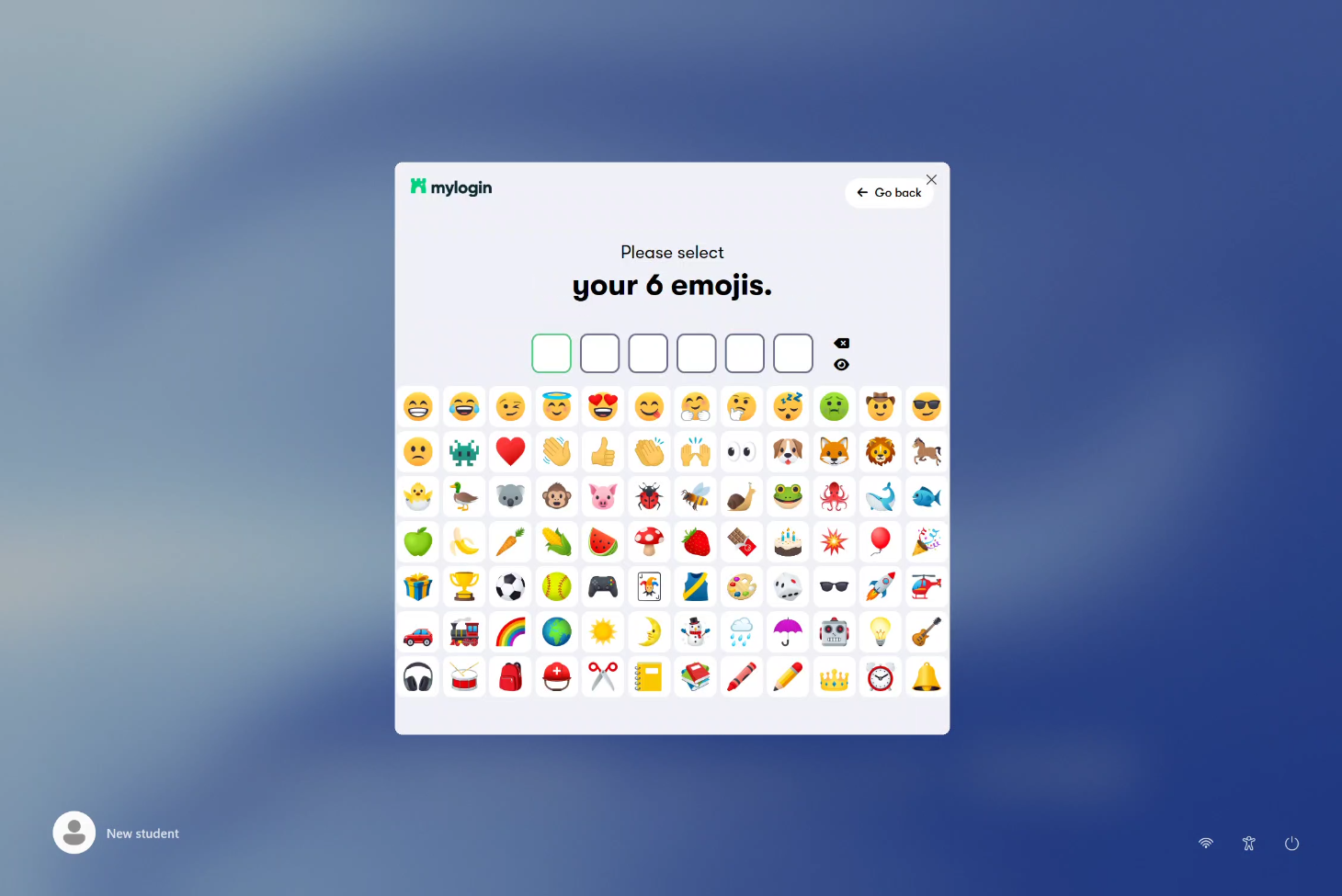
Input the 6 emojis for that specific pupil.
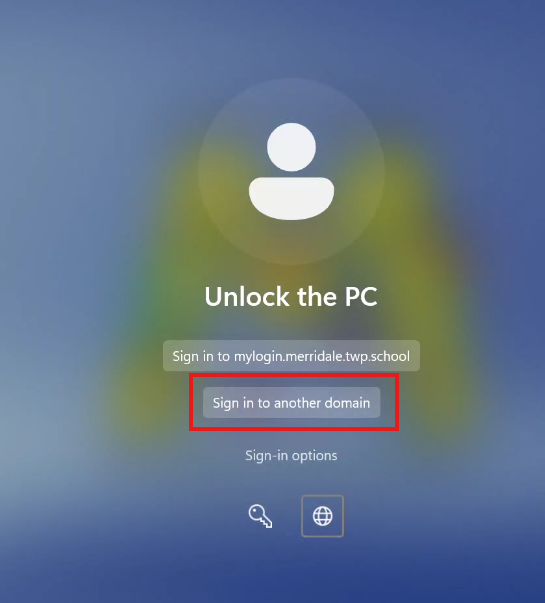
Login as staff on a pupil device
Select Sign in to another domain and input your school email and password.
Was this article helpful?
That’s Great!
Thank you for your feedback
Sorry! We couldn't be helpful
Thank you for your feedback
Feedback sent
We appreciate your effort and will try to fix the article