The below article will provide advice on how to change the default file type from HEIC to JPEG.

JPEG is more widely supported.
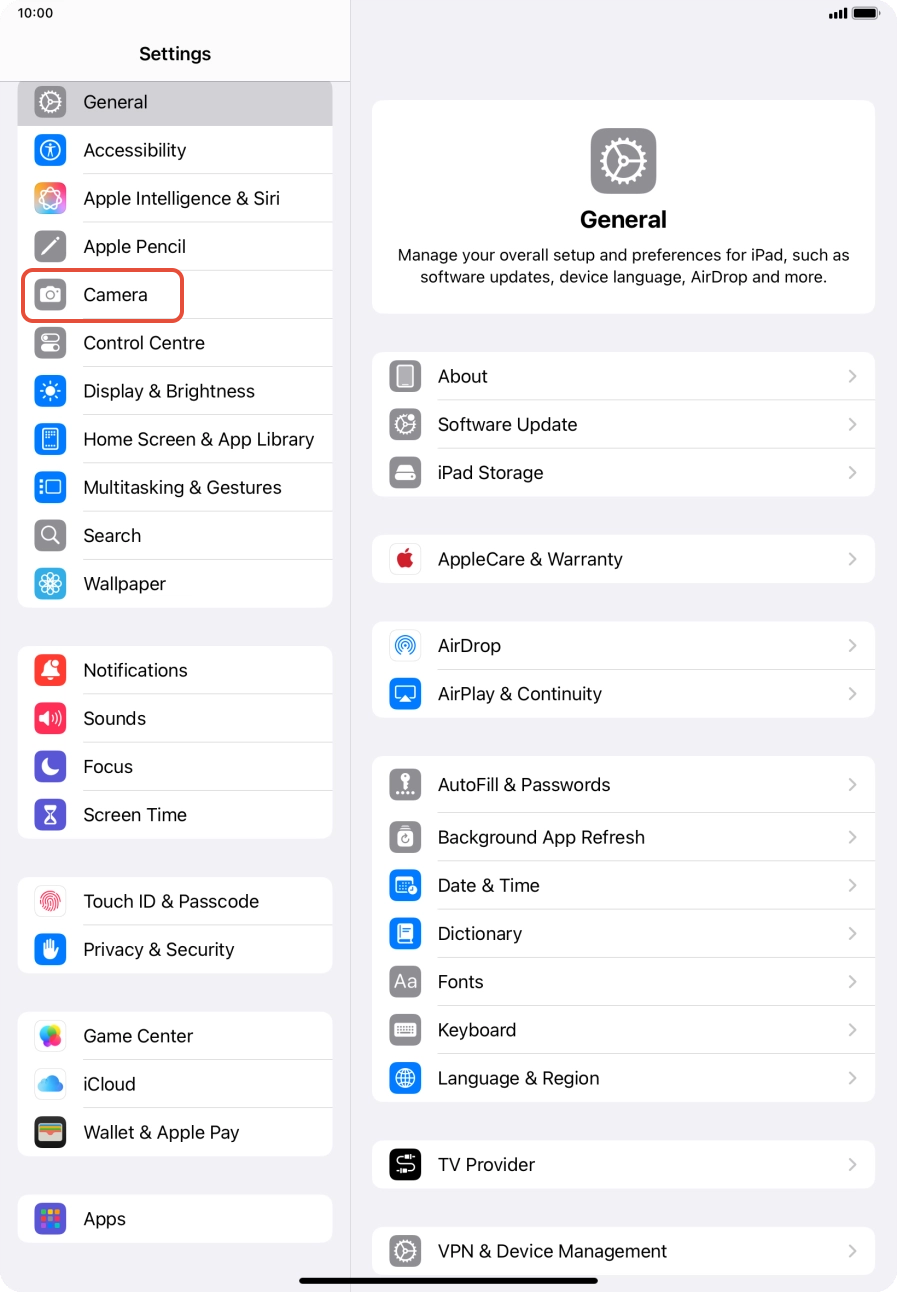
- Go to Settings > Camera (Highlighted in the red box in the image). On older iPads this option will be further down the list on the left of settings.
2. Next select Formats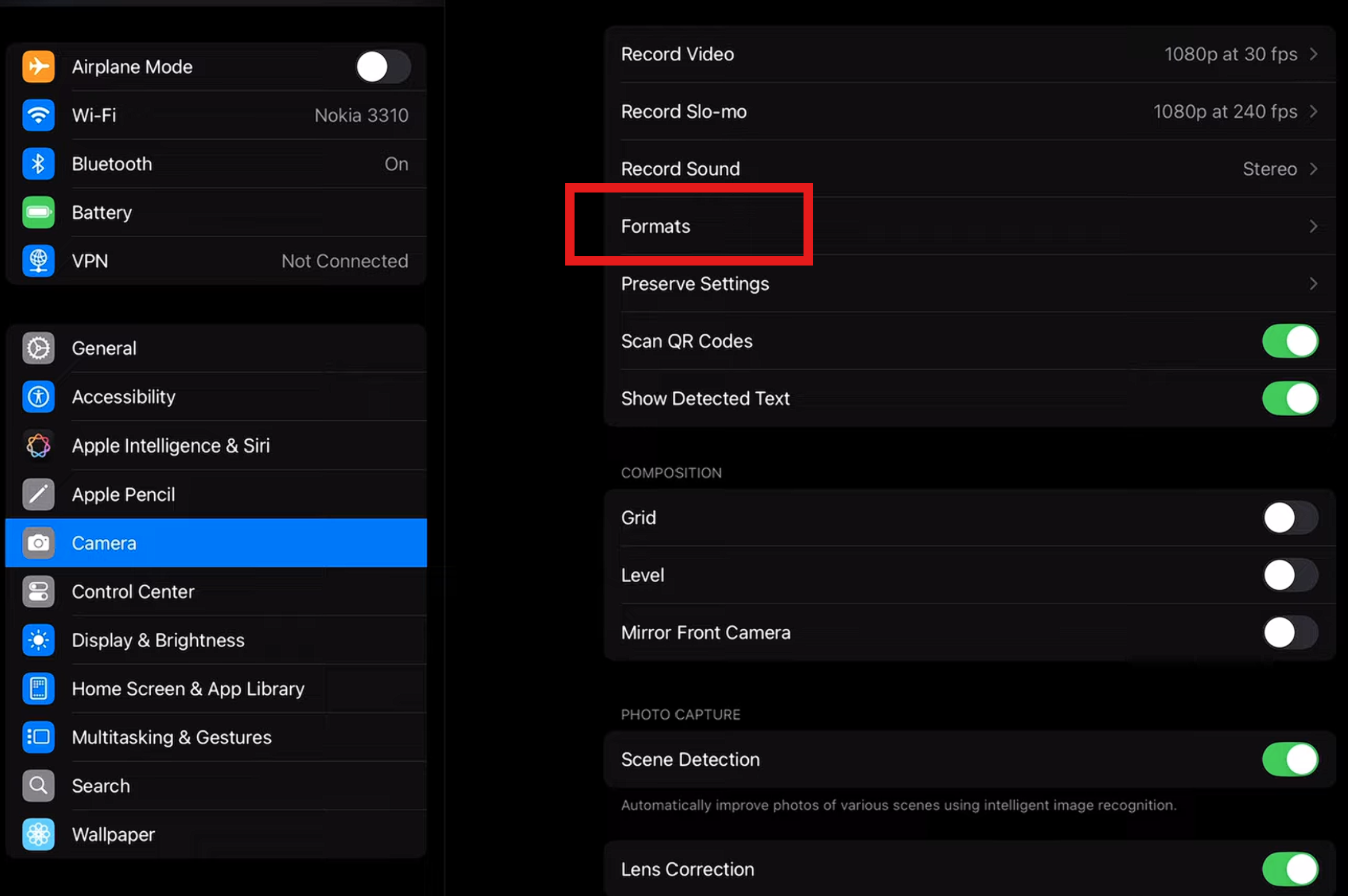
3. Then select Most Compatible
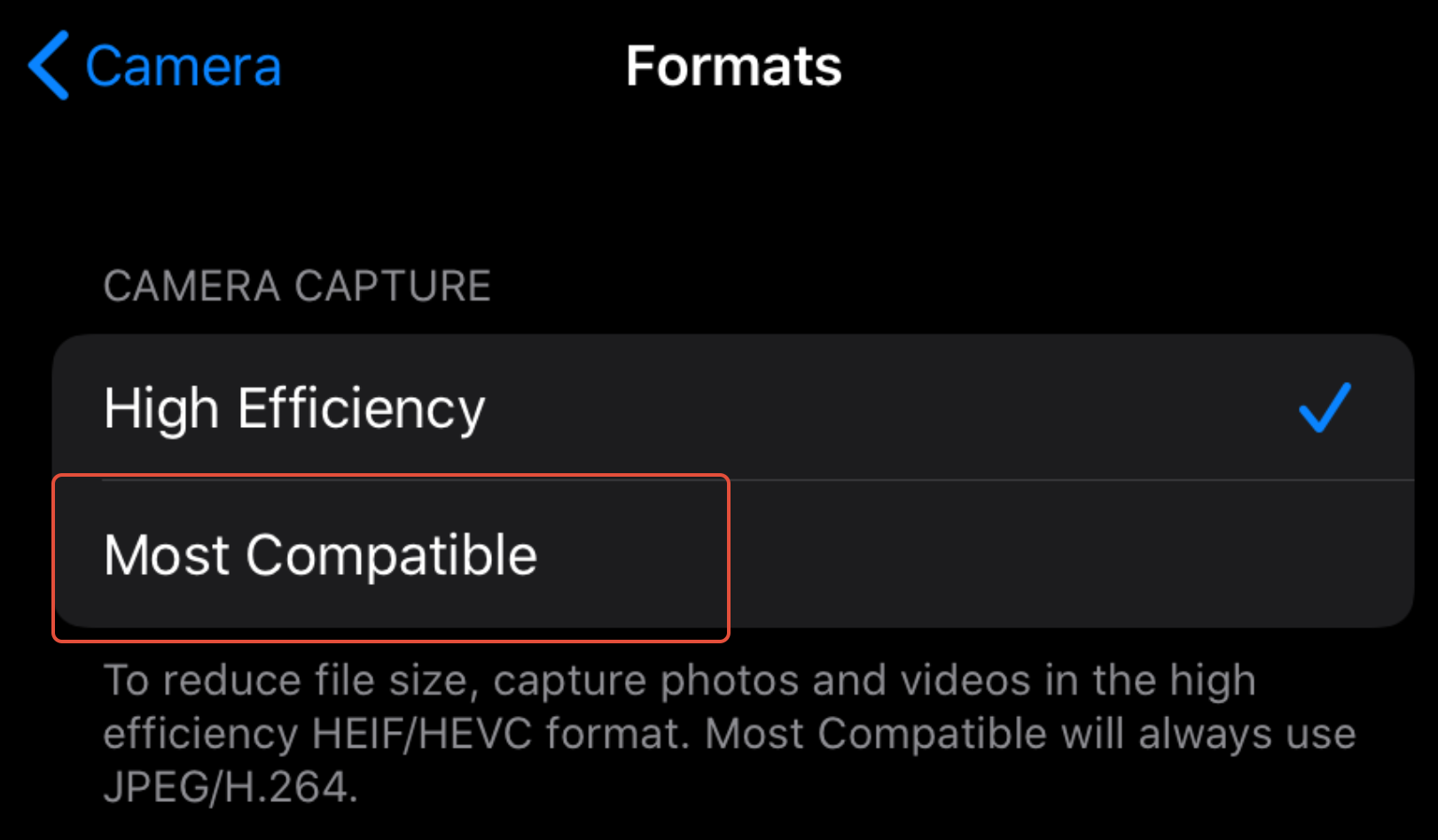
Now photos which are taken will save in the JPEG format that will be most compatible to transfer across to your Laptop or PC.
Was this article helpful?
That’s Great!
Thank you for your feedback
Sorry! We couldn't be helpful
Thank you for your feedback
Feedback sent
We appreciate your effort and will try to fix the article