This article will apply to you if your school uses Cloud Drive Mapper. If your school only uses OneDrive, then please refer to our OneDrive articles.The following article explains how to ensure your Cloud Drive Mapper is running on your computer. This will ensure that you are able to see your mapped drives.Checking and opening Drives
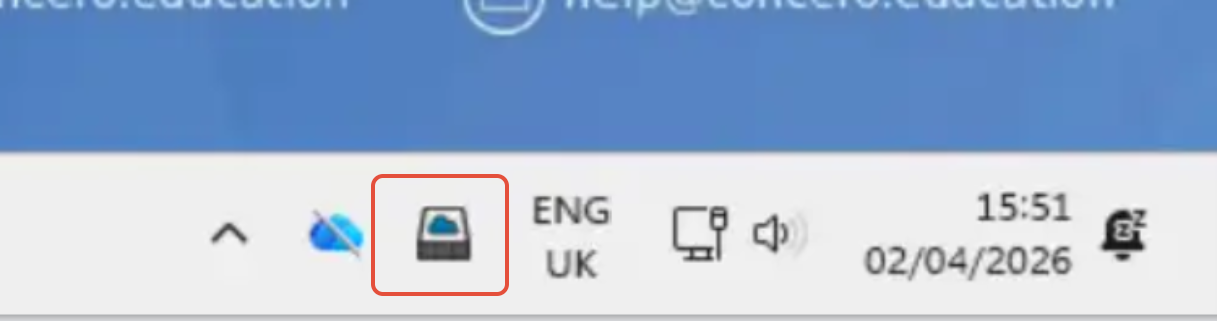
- Locate the Cloud Drive Mapper icon in the system tray which is located on the bottom right of the screen it will appear as a box with a blue cloud. If you click this, you can see how many drives are being mapped. If it is showing a red padlock on the icon, you need to click this and sign in with your work/school email.
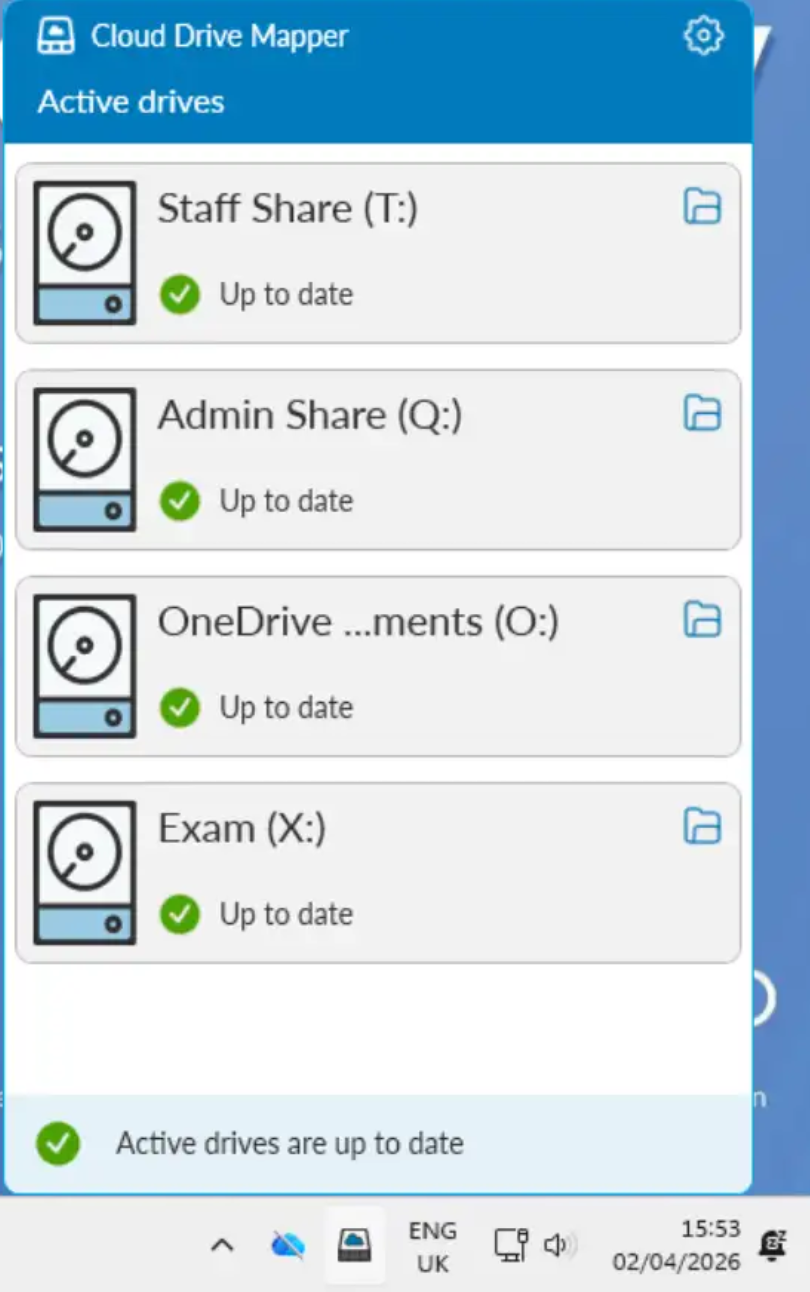
2. Left click the Cloud Drive Mapper icon and you are given a list of drives which are being mapped. (Yours may be named different dependent on school) If you are missing any drives which other colleagues have, let us know as we may need to check your permissions.
3. You can also view your mapped drives within File Explorer. This is where you would traditionally have opened your Staff Share, Admin Share and Documents.

Scenarios where Cloud Mapper is not working
When you hover over the Cloud Drive Mapper Icon, you may see an error which you can let us know what is wrong.
CDM No Drives Mapped - Left click the Cloud Drive Mapper icon and sign in. You can sign in with your work/school email address. If this requests as a one off then this is alright as the system needed to verify you. If you get this every time you sign in.
Licence key is missing - Contact us by visiting the portal to log a ticket and screenshot the error that you are having. We are able to check the configuration of how the licence key is pushed out.
There is no Cloud Drive icon - Select the Windows icon and then search "Cloud Drive Mapper". You can then open the program to map the drives.
Licence could not be verified - Contact us by visiting the portal to log a ticket and select About from the menu, screenshot the licence key. This error would indicate an incorrect licence key is entered or the broadband filtering is blocking Cloud Drive Mapper.
Was this article helpful?
That’s Great!
Thank you for your feedback
Sorry! We couldn't be helpful
Thank you for your feedback
Feedback sent
We appreciate your effort and will try to fix the article