In this article it will be showing you how to retrieve your iPad/iPhone serial number.
Step 1: Open "Settings"
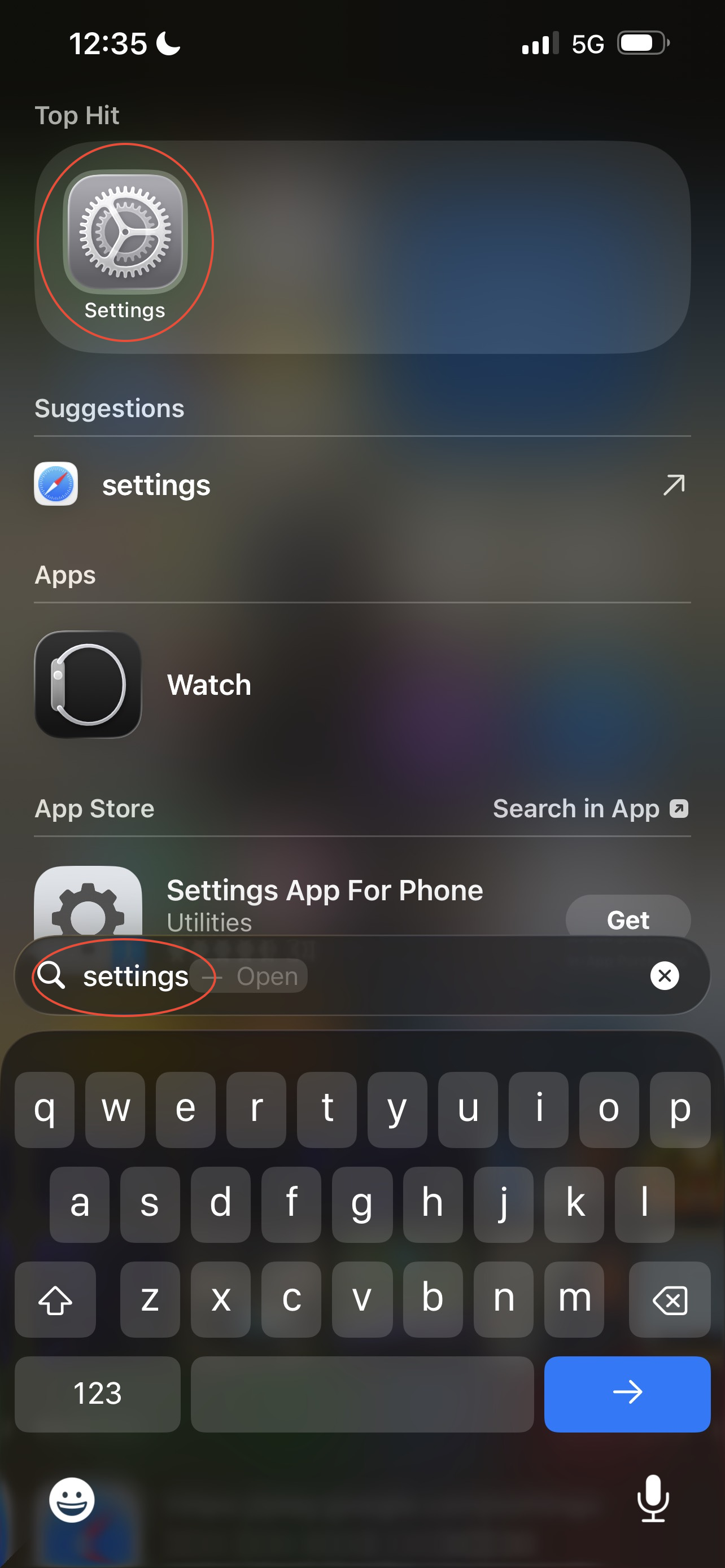
- Swipe down on your screen
- In the search bar search settings
- Select settings
These steps show you how to find settings and open settings.
Step 2: Open "General"
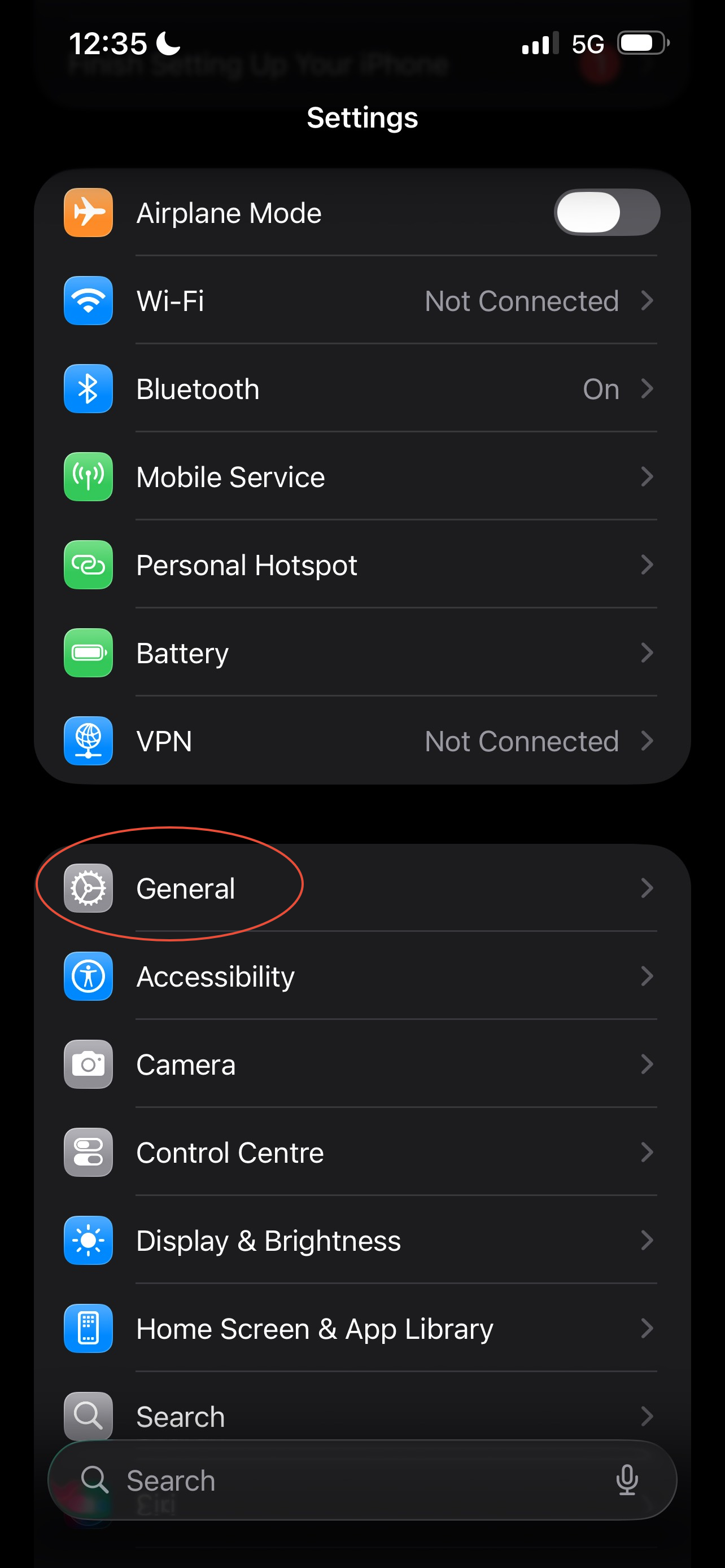
- Select "General"
Once you open settings you will see a range of different options to elect from and here is where you will find General.
Step 3: Open "About"
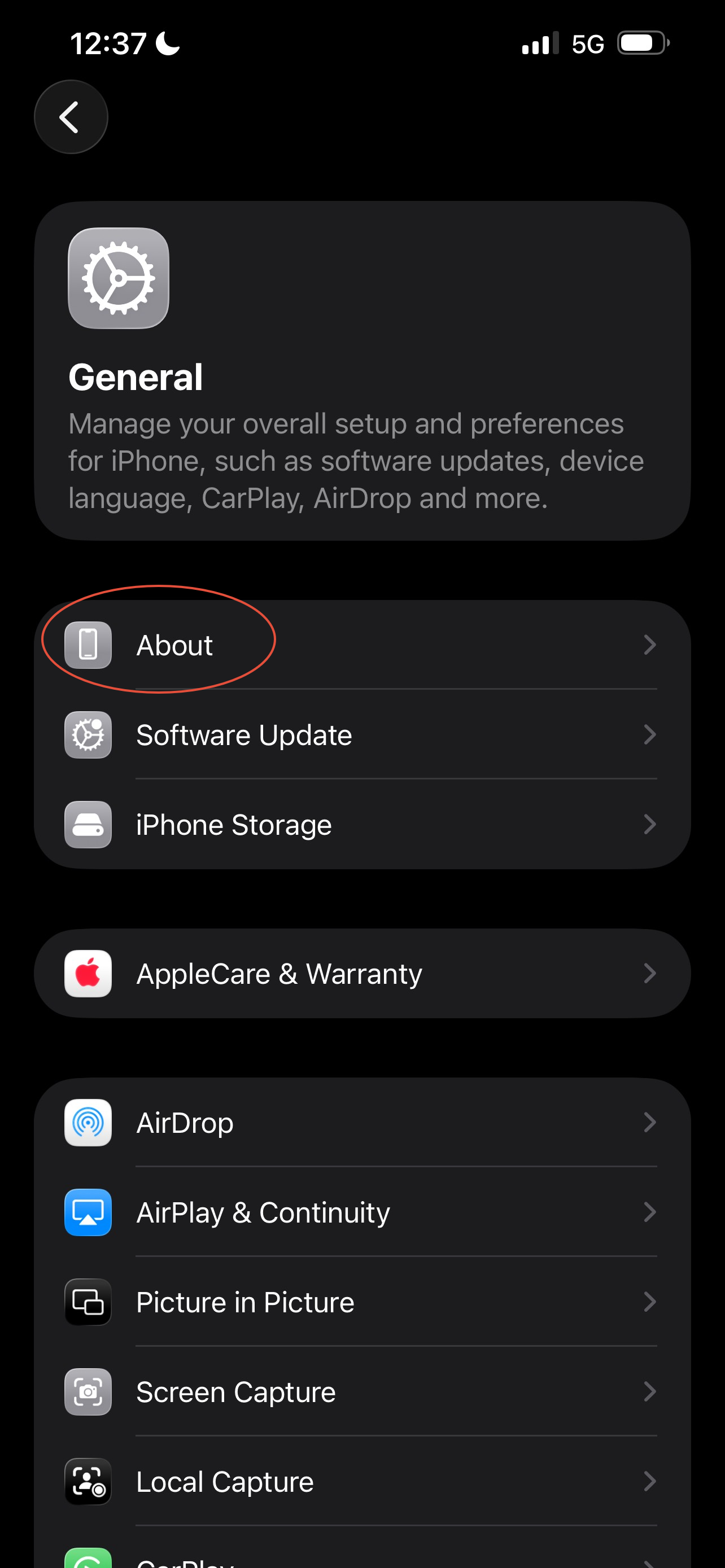
- Select "About"
When you select "about" this is where the serial number is located.
Step 4: Serial Number view
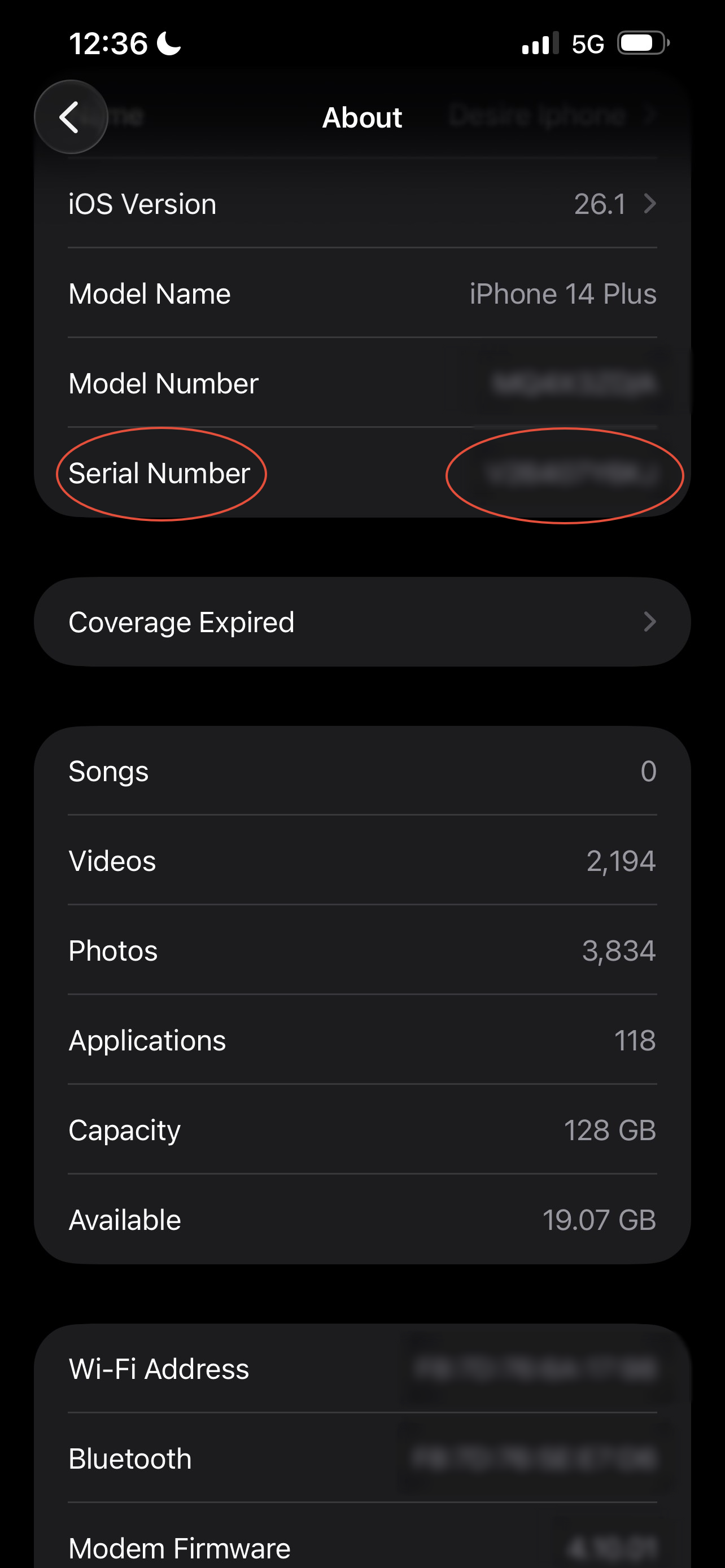
This is where you can now see the serial number.
Was this article helpful?
That’s Great!
Thank you for your feedback
Sorry! We couldn't be helpful
Thank you for your feedback
Feedback sent
We appreciate your effort and will try to fix the article