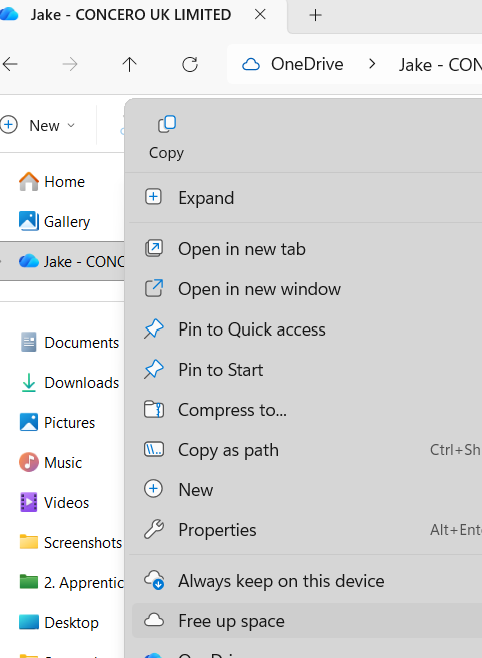
If your computer storage is very full and you use OneDrive. It is very likely that you may need to use the "OneDrive Free up space". This does not delete your files, it moves them back into the cloud rather than sitting on your device taking up space.
Part 1
1) Open File Explorer

2) Right click your OneDrive
3) Select "Free up space"
Part 2
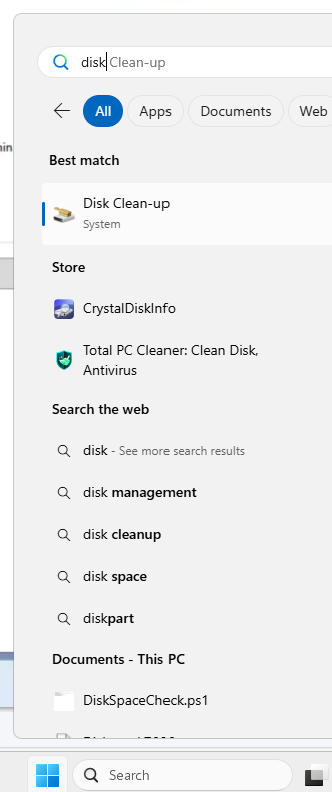
1) Select the Windows icon and type "Disk Cleanup"
2) Select all the tick boxes then select "Ok". (To ensure the integrity of files, only Concero can clean up system files)
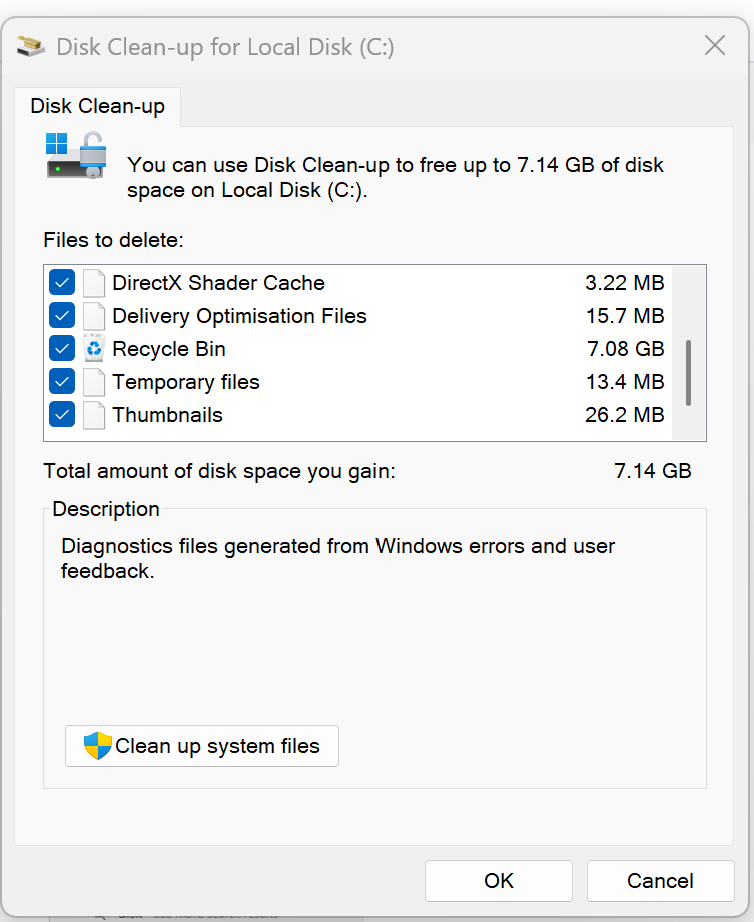
If your disk space is still showing full, we may need to delete old user profiles off your computer, clean up system files or have a look in the C Drive of the machine which we can action over a ticket.
Was this article helpful?
That’s Great!
Thank you for your feedback
Sorry! We couldn't be helpful
Thank you for your feedback
Feedback sent
We appreciate your effort and will try to fix the article